macOS 13+ · Apple silicon · Local-first
Your photos are already on your Mac.
Phoaly reads the folders you already use, then lets you browse, organize, dedupe, and cull by time, place, and camera. No import. No upload. No account.
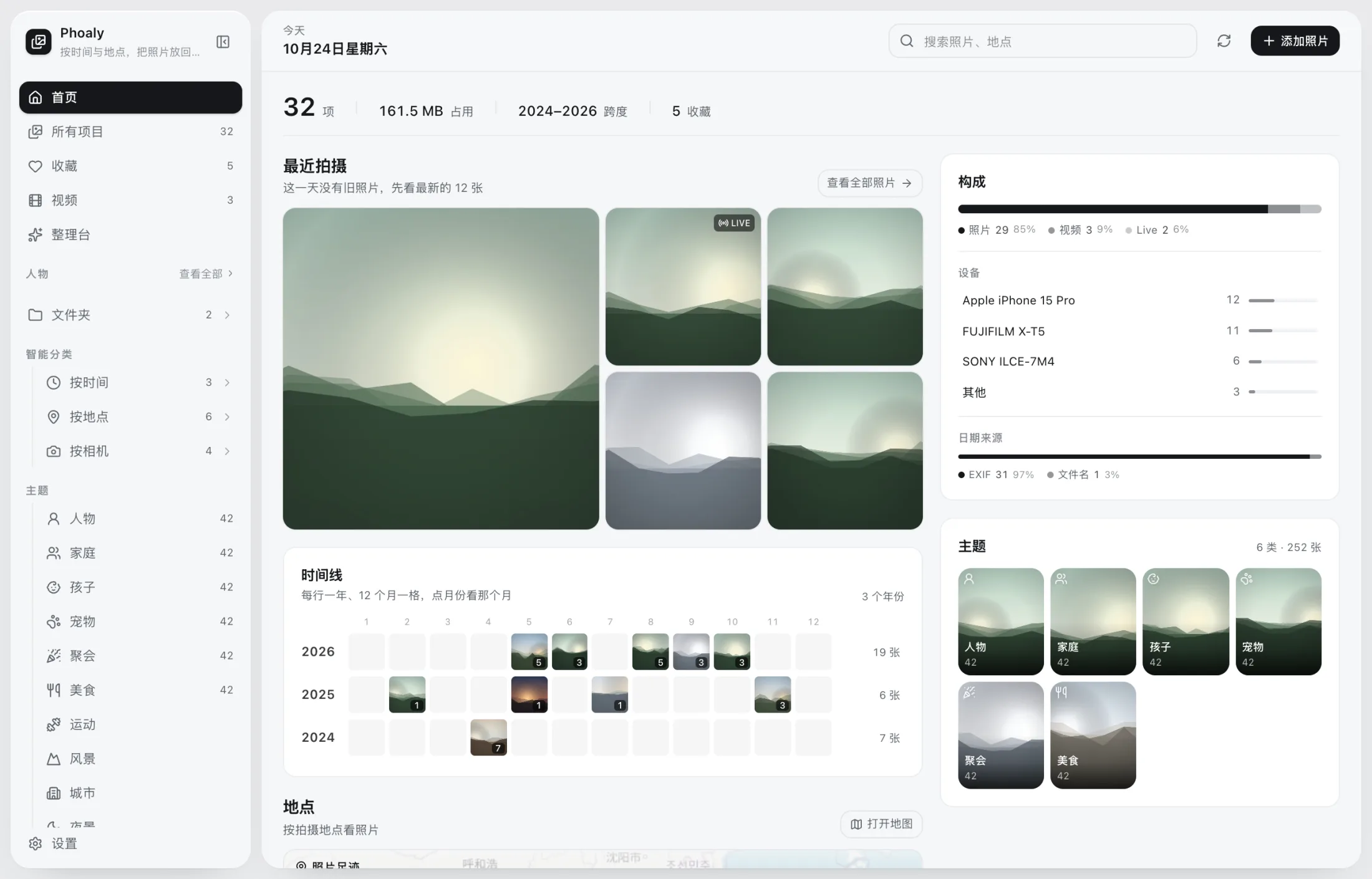
The home screen is a foyer: recent shots, timeline, places, and composition at a glance.
- 0uploads
- 0accounts
- 0imports
- 100,000photo benchmark
01 / Folders
No library. Just your folders.
Your photos stay where they are. The sidebar mirrors your Finder tree, empty folders included. Unplug a drive and its place is kept; plug it back into the same mount point and it recovers.
- No import, no copy, no relocation
- Read-only during scan and preview
- The index is disposable and can be rebuilt anytime
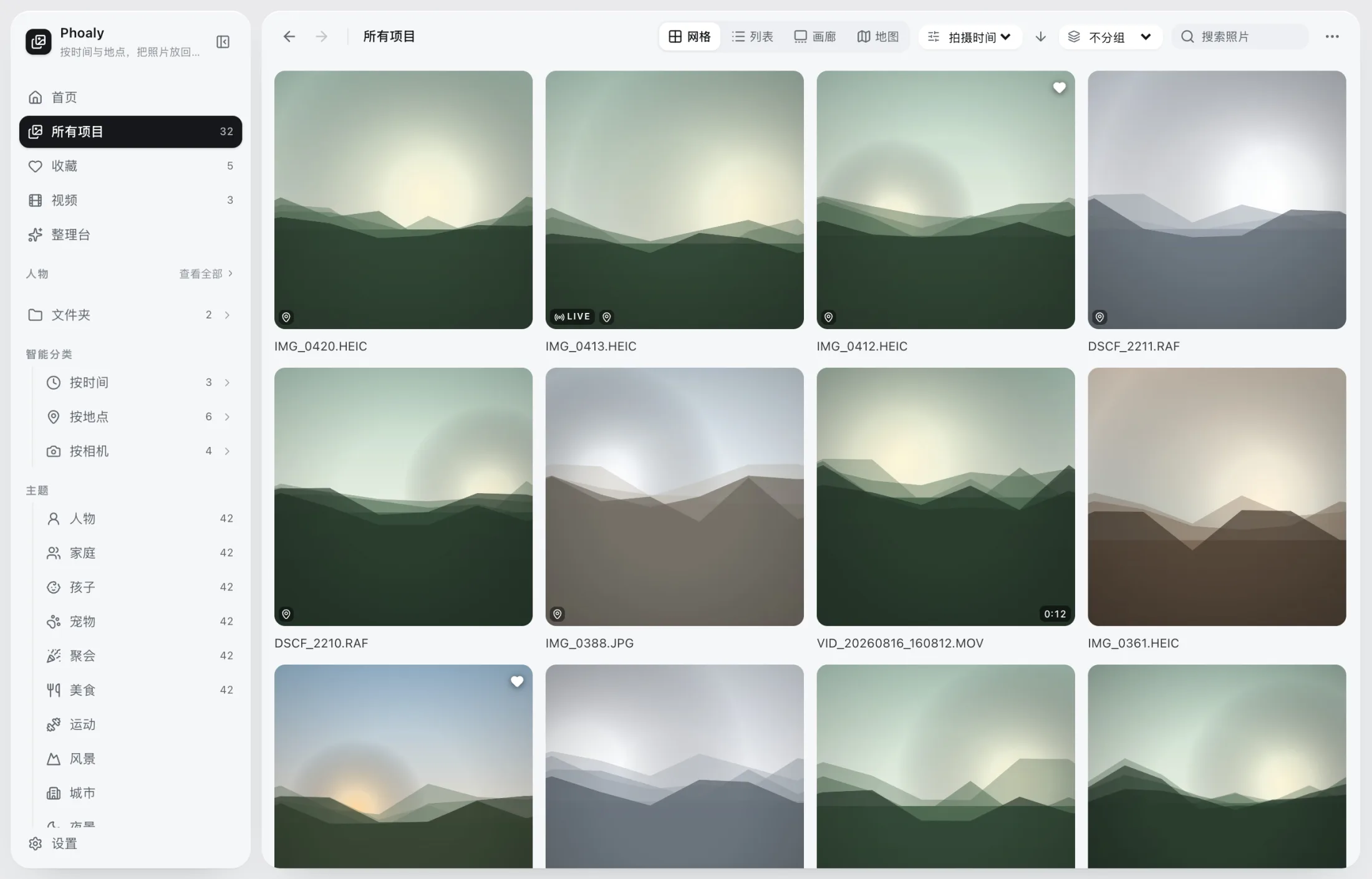
Grid view: folder tree, photos and videos together, grouped by day.
02 / Browse
One library, four ways to look at it.
Grid for the overview, list for the details, gallery for the image, map for the footprint. Sorting and grouping are independent: sort by capture time, then group by folder, date, place, or camera.
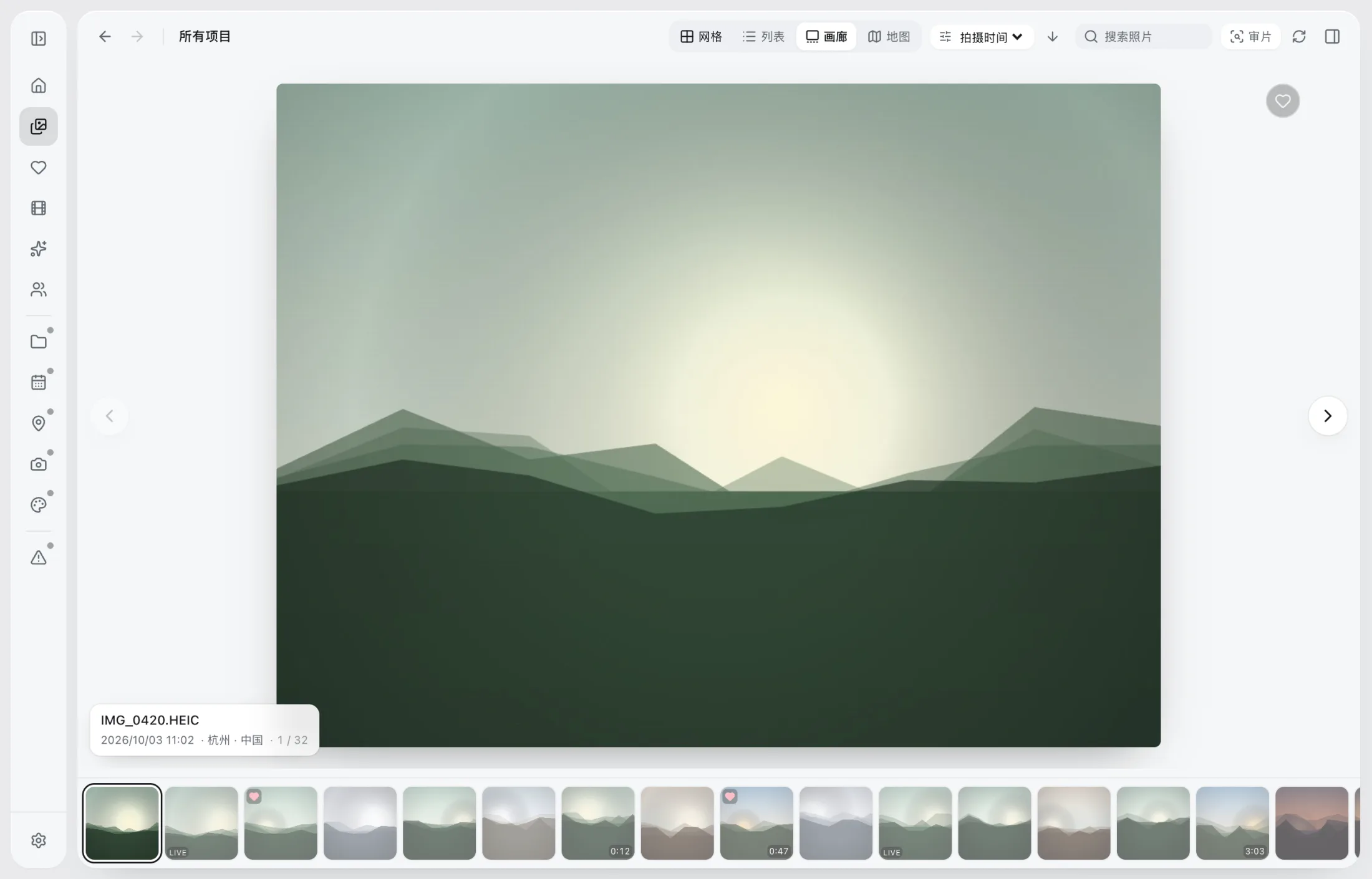
Gallery: a large frame above, a filmstrip below, arrow keys to keep moving.
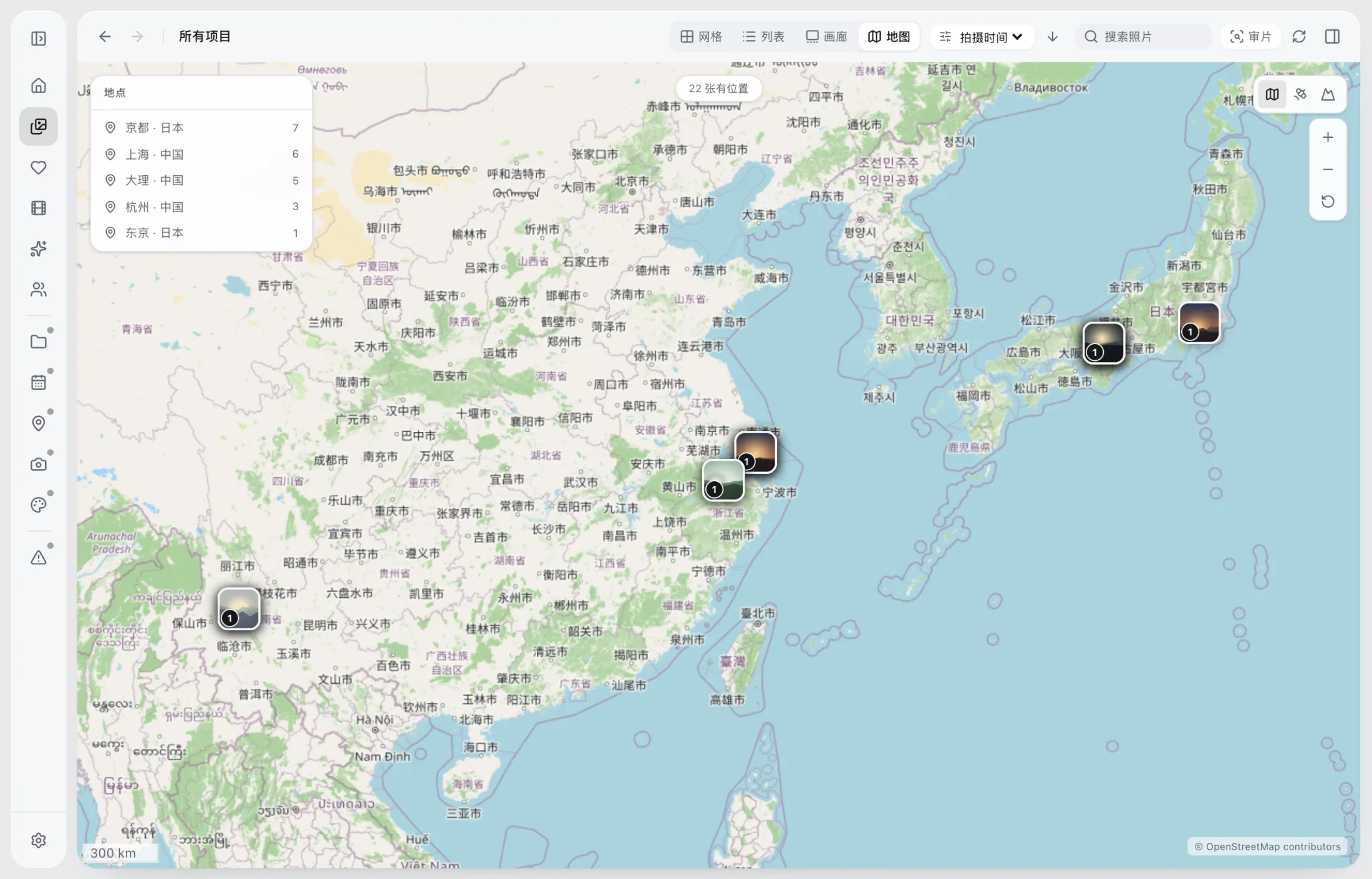
Map: place clusters, photo footprints, and an offline fallback.
03 / Cull
Deleting should start with a clear look.
Keep, maybe, reject — one key each. Progress, filters, and batch deletion live in the same cull bar. Deletes go to the system Trash, and can be undone.
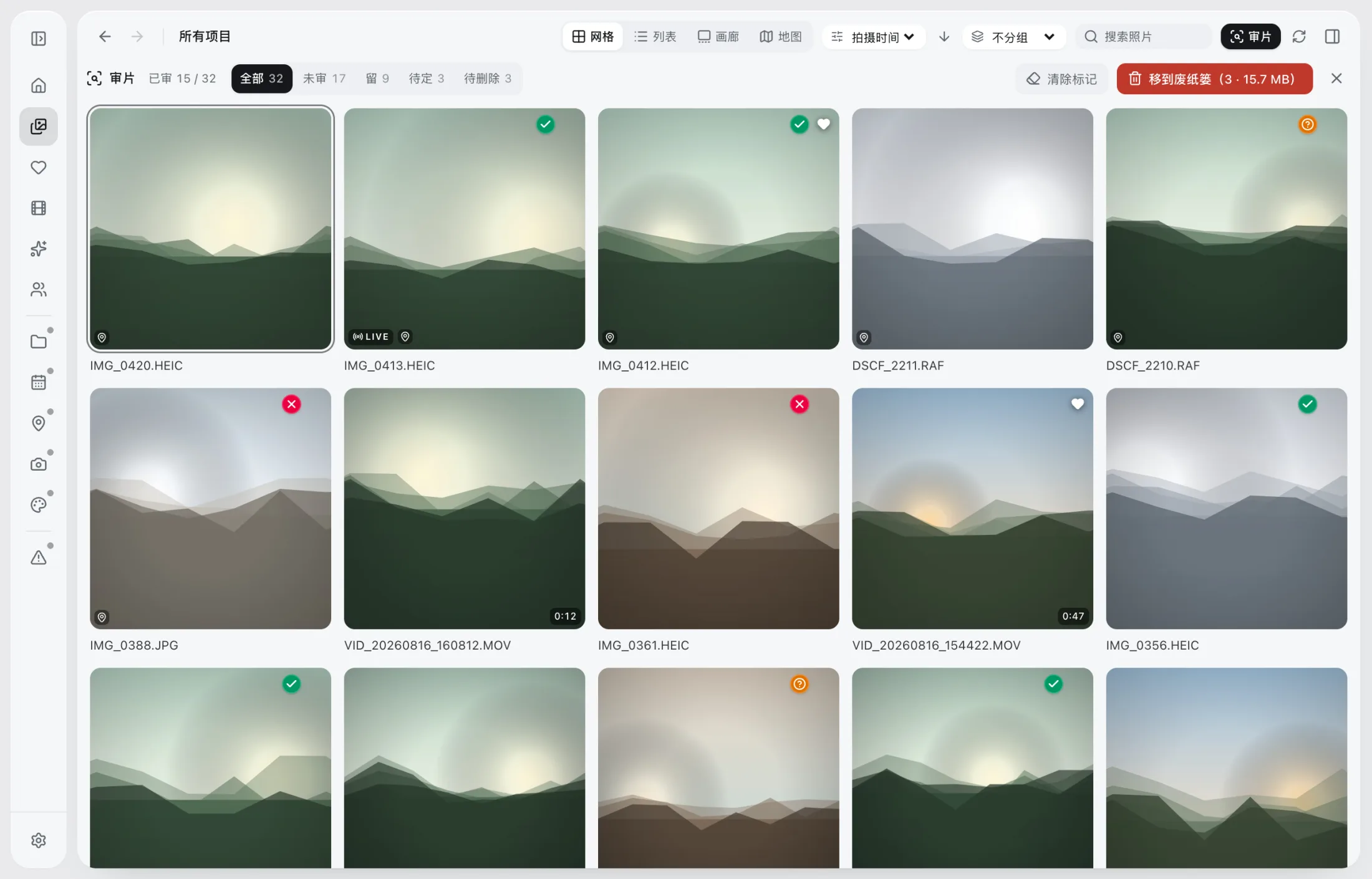
The cull bar: green keeps, amber maybes, red rejects — filter any time.
Original files are sacred.Browsing, scanning, and preview never write to or move your photos. The only exception is a rotate/crop write-back you explicitly confirm.
04 / Organize
Preview first. Then move.
Build a year / month / day tree, inspect the full preview, then confirm. Name conflicts get a suffix, copies are verified with sha256, and the whole session can be undone.
- Plan → Preview → Confirm → Journal → Undo
- Move, copy, and rename share one engine
- Cross-volume moves copy, verify, then trash the source
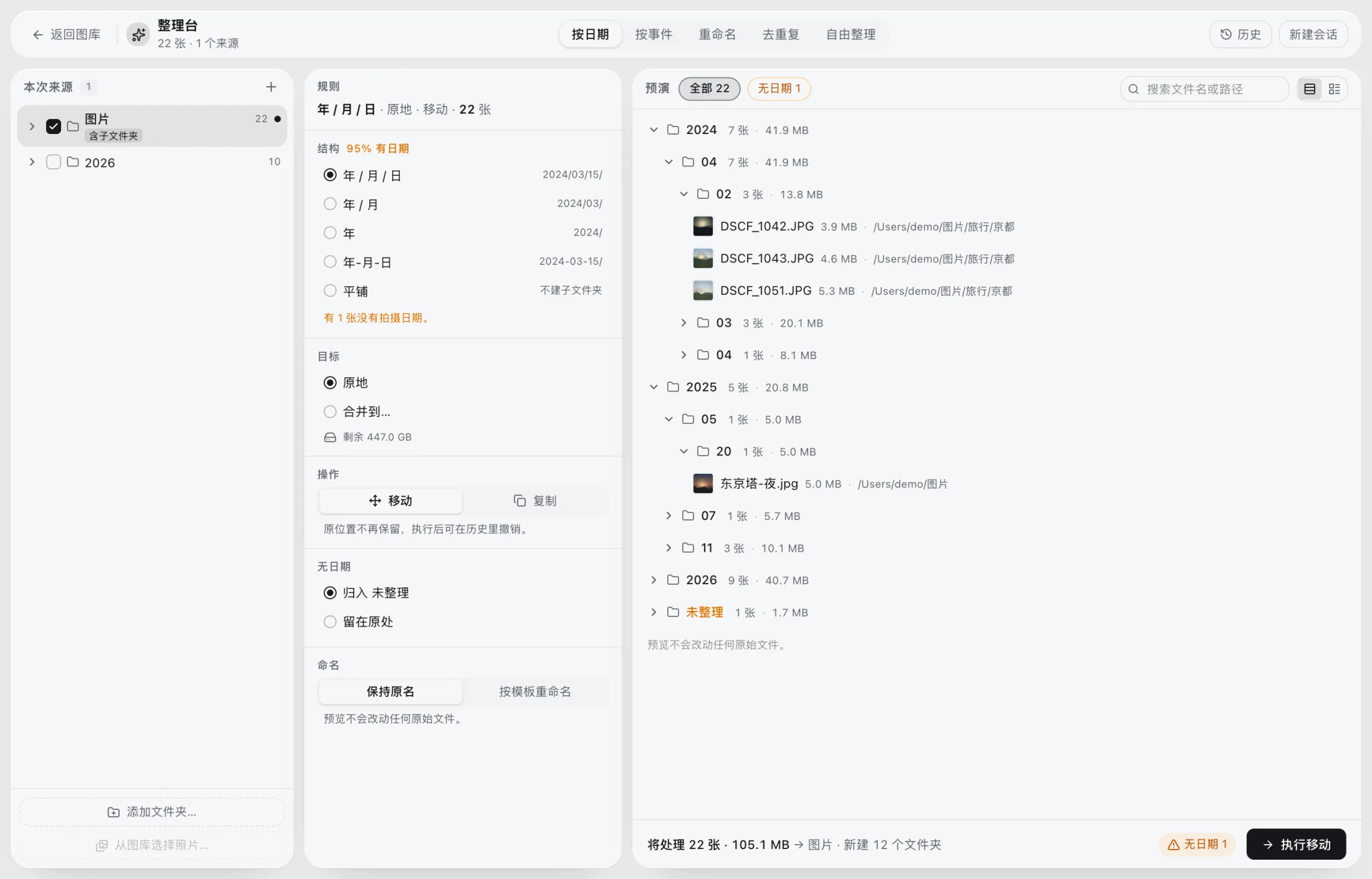
The workbench: rules, targets, operations, and preview in one shell. Nothing changes before you confirm.
05 / Scale
A hundred thousand photos, still as direct as Finder.
Virtual lists, cursor pagination, and background thumbnails keep a 100,000-item library browsable. Search uses FTS5 trigram, so Chinese substrings and English fragments both match.
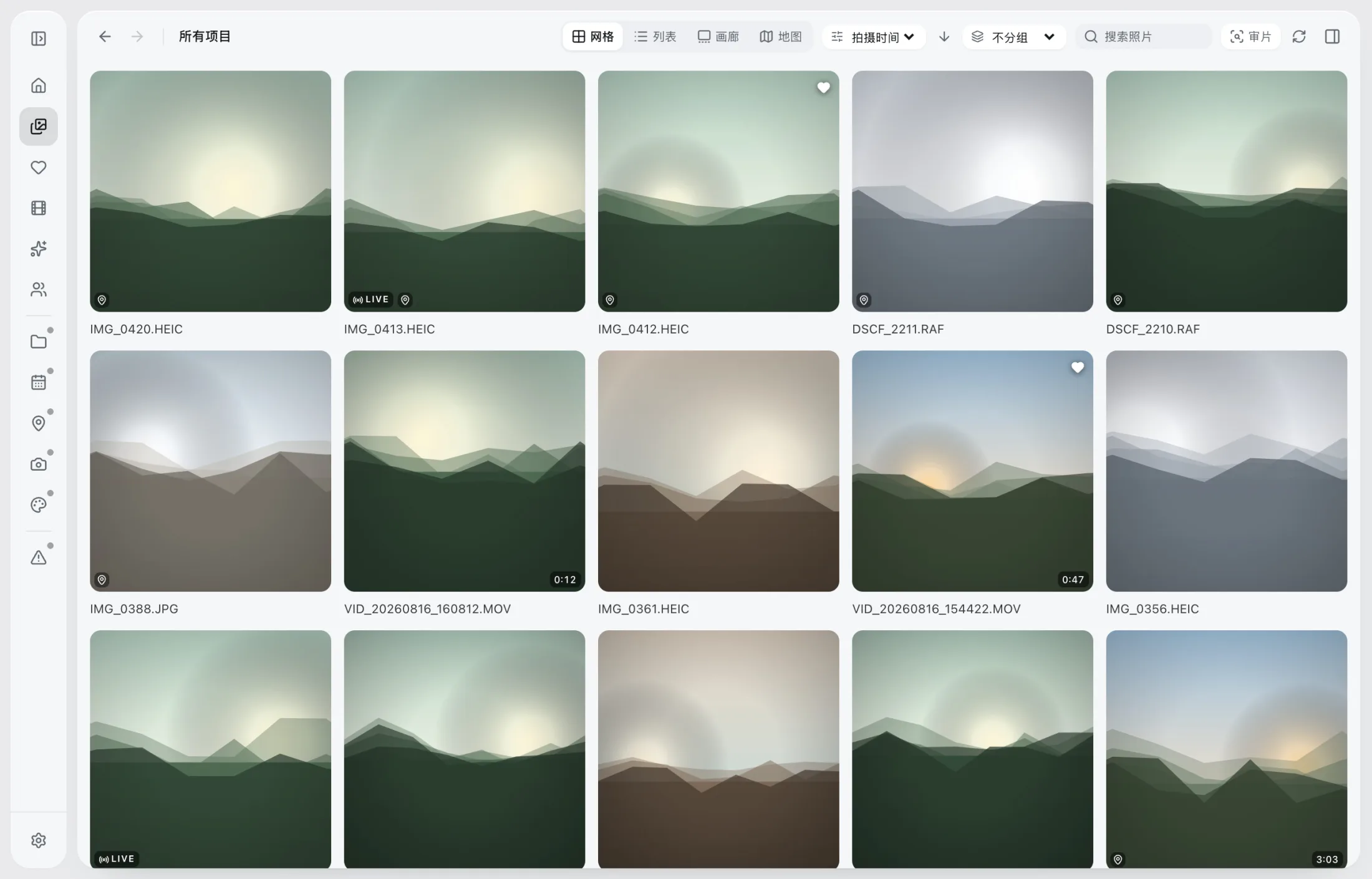
With the sidebar collapsed, the grid takes the window; thumbnails decode only in the viewport.
- 100,000item benchmark
- 11.7 mssearch P95
- 4view modes
- 0uploads
06 / Privacy
Your photos never leave this Mac.
No account, no cloud sync, no telemetry. Phoaly only makes network requests for map tiles; turn the map off or go offline and everything else keeps working.
Originals, thumbnails, EXIF, GPS, paths, face vectors, and stats stay on your Mac.
Buy, download, and activate without signing up. License recovery only needs an email.
Online tiles only send standard tile coordinates. A bundled offline world map is the fallback.
07 / Pricing
Buy once.
No subscription. No annual fee. Try every feature free for 30 days, then buy for one Mac or two.
No account needed. Download and start.
- Every feature for 30 days
- After that: read-only — browsing and export still work
- No import, no upload; your originals stay untouched
Placeholder price. Final amount shown at checkout.
- 2 Macs, with self-service deactivation
- Lifetime free updates
- Secure Stripe checkout, no sign-up
- Fully offline after activation
Digital goods. See the terms for the refund policy.
08 / Download
Download Phoaly
Try it for 30 days. Activate with a license when the trial ends — or when you buy.
FAQ
Questions you may have.
Does Phoaly upload my photos?
No. Originals, thumbnails, EXIF, GPS, paths, face vectors, and library stats never leave your Mac. The only network request is for map tiles; turn the map off or go offline and everything else works. Activation makes one request with the license key, a random device ID, and the app version.
Which photo and video formats are supported?
JPEG, PNG, HEIC/HEIF, TIFF, WebP, BMP, and common RAW files (DNG/NEF/CR3/ARW/CR2 and more) can be browsed and exported. Video uses system decoding for playback and covers, including Live Photo stills and motion clips. Rotate/crop write-back supports JPEG, PNG, and TIFF only.
How is it different from Photos or Lightroom?
Phoaly doesn’t import photos or build its own library. It reads the folders you already have, and focuses on folder browsing, time/place organization, batch rename and move, duplicate cleanup, and culling — not RAW development or color editing.
What happens when I change Macs?
A license covers 1 or 2 Macs depending on the tier you bought. The license page lists the activated devices; release an old one there, then activate the new Mac.
What happens when the trial ends?
The trial lasts 30 days. After that the app becomes read-only: you can still browse and export, but not organize, edit, or cull. Your original files and library are untouched.
What does “lifetime free updates” mean?
Buy once and every future version is included. Updates are installed manually from the download page; new versions keep your existing index and settings.